

Introduction
The Zite DB API lets you access and manage your Zite databases programmatically, without using the Zite interface. You can create databases, manage table schemas, define field types, and perform CRUD operations on records via the API.Field types
Zite DB supports over 20 different field types to handle various data structures - from simple text and numbers to complex relationships. See the complete Field Types guide for details.Authentication
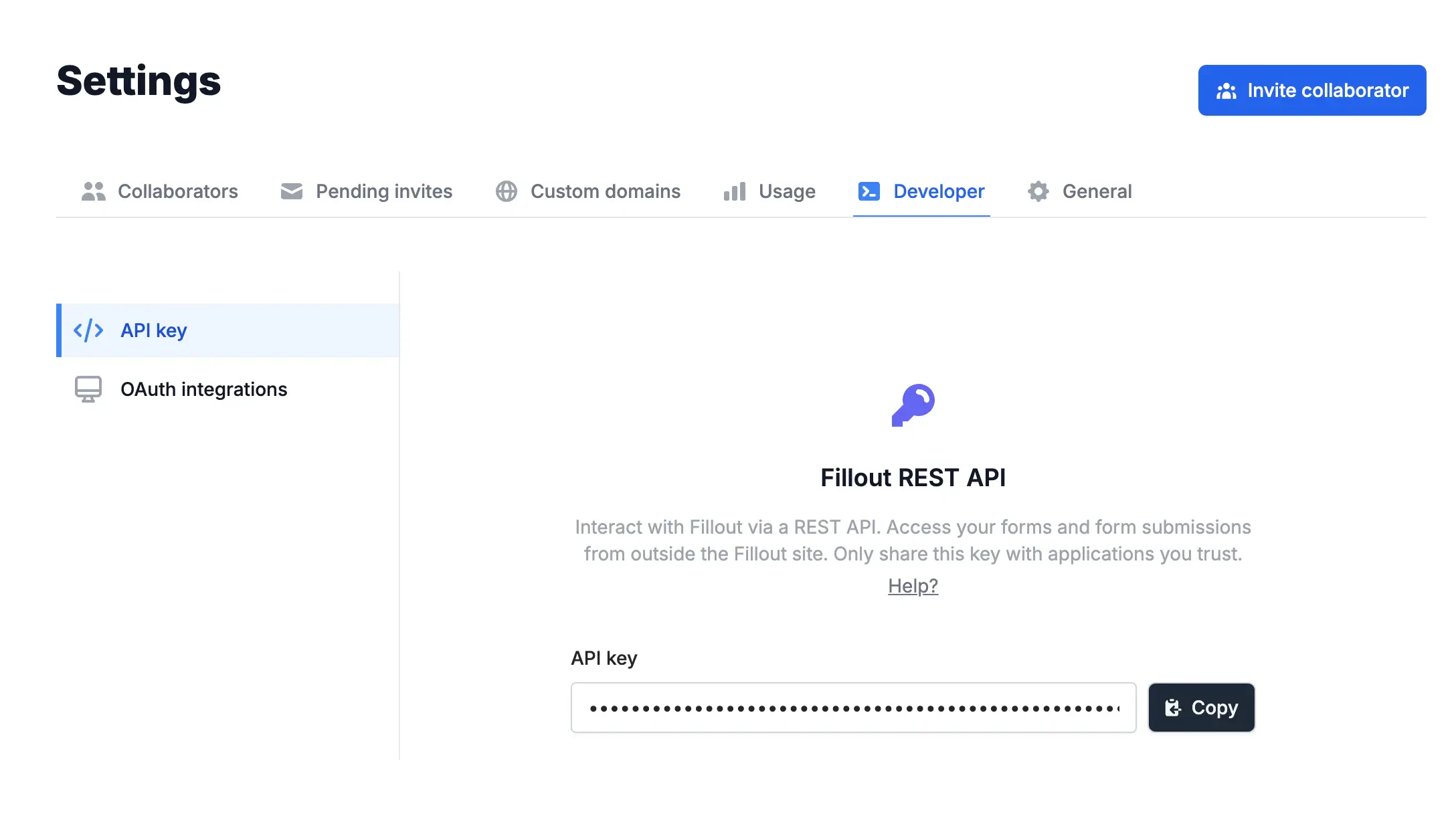
Generate and view your API key in theDeveloper settings tab of your account. You can revoke or regenerate your API key at any time via the dashboard.
Authorization header in the following format:
<your-api-key> with the API key obtained from your Fillout account.
You can obtain your API base URL in the API dashboard. Typically, it will be https://api.fillout.com.
Important: If you’re self-hosting Fillout or using the EU agent, a different URL will appear in the dashboard.
Note: The same API key used for Fillout forms also works with Zite DB endpoints.
Finding Database and Table IDs
When working with the Zite Database API, you’ll need to provide database IDs and table IDs in your API requests. Here’s how to find them:Open your database
Click the database from the home page dashboard.
Rate limits
All endpoints are limited to being called no more than 50 times per second, per Account/API key. Contact support@fillout.com if you need increased rate limits.Error handling
All API errors return a consistent response format:Common error codes
| Code | Description |
|---|---|
INVALID_RECORD_ID | Record ID is not in valid UUID format |
NOT_FOUND | Requested resource does not exist |
BAD_REQUEST | Invalid request data or validation failure |
UNAUTHORIZED | Invalid or missing API key |
INTERNAL_SERVER_ERROR | Server-side error occurred |
NOT_IMPLEMENTED | Feature not yet implemented |
API Endpoints
Explore all available endpoints organized by functionality:Records
Create, read, update, and delete records in your tables
Fields
Manage table fields and their configurations
Tables
Create and manage database tables
Databases
Create and manage your databases
Records
Manage individual records within your database tables:Create Record
Add new records to a table with field data
Get Record by ID
Retrieve a specific record by its unique identifier
Update Record
Modify existing record data
List Records
Get all records from a table with filtering options
Delete Record
Remove a record from the database
Fields
Configure and manage table field schemas:Create Field
Add new fields to existing tables
Update Field
Modify field properties and configurations
Delete Field
Remove fields from tables
Field Types Reference
Complete guide to all supported field types
Tables
Create and manage database table structures:Create Table
Create new tables with custom schemas
Update Table
Modify table properties and settings
Delete Table
Remove tables from your database
Databases
Manage your database instances:Create Database
Create new database instances
Get Databases
List all your databases
Get Database by ID
Retrieve specific database information
Delete Database
Remove database instances
Related articles
Field Types
Complete reference of all supported field types and their configurations.